
How to Create a Sidebar
Link: https://support.brilliantdirectories.com/support/solutions/articles/12000047136
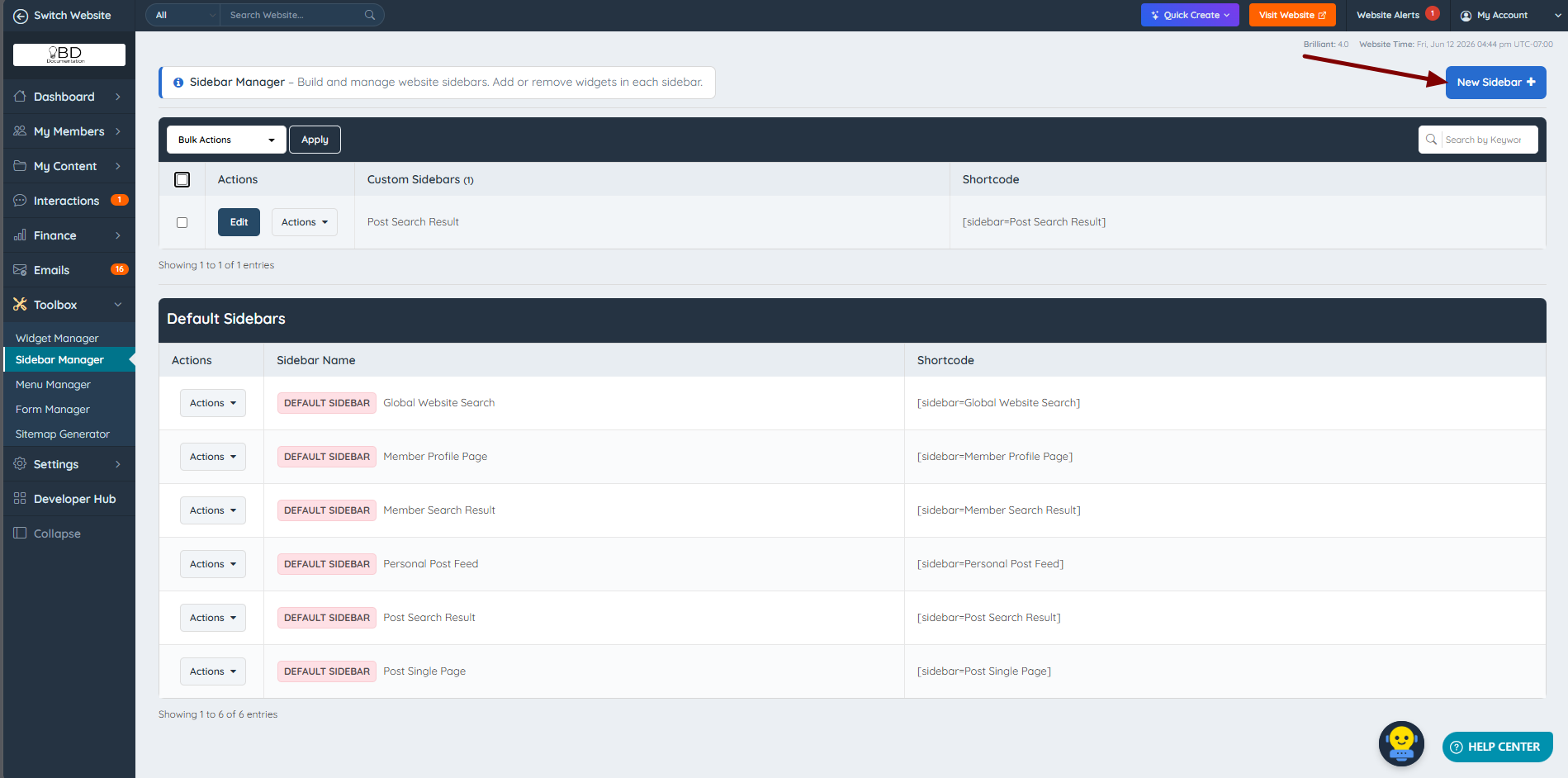
To create a new sidebar, navigate to Toolbox » Sidebar Manager, then click the "New Sidebar" button:
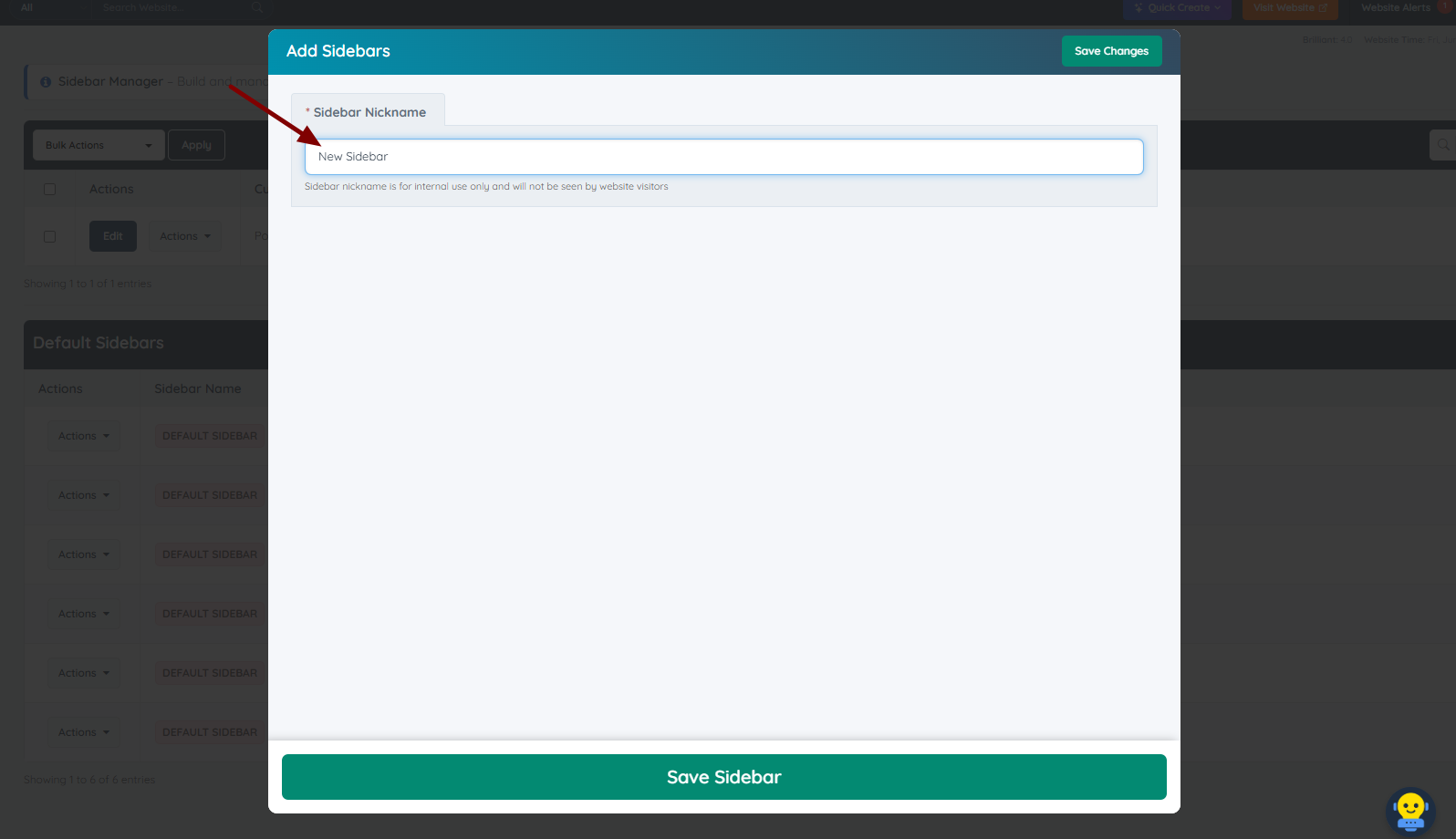
Then name the new sidebar:
The new sidebar is ready to use:
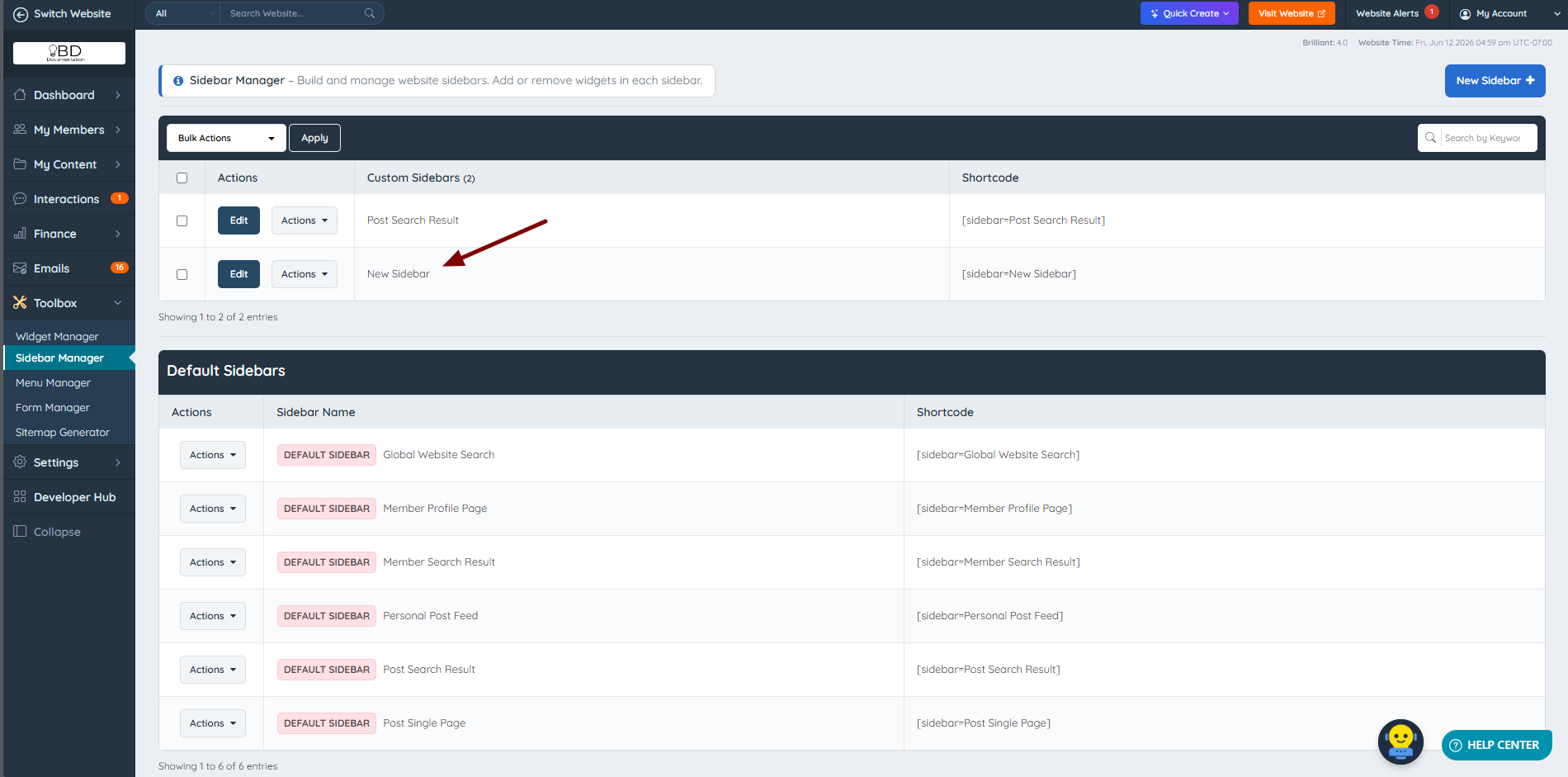
The new sidebar starts out empty. Click Edit to search for widgets and drag them into place. See Toolbox » Sidebar Manager for the full editing steps and Popular Sidebar Widgets for widget suggestions.
Tip: If an existing sidebar is close to what is needed, cloning it from the Actions drop-down can be faster than building a new one from scratch.
Additional Information:
