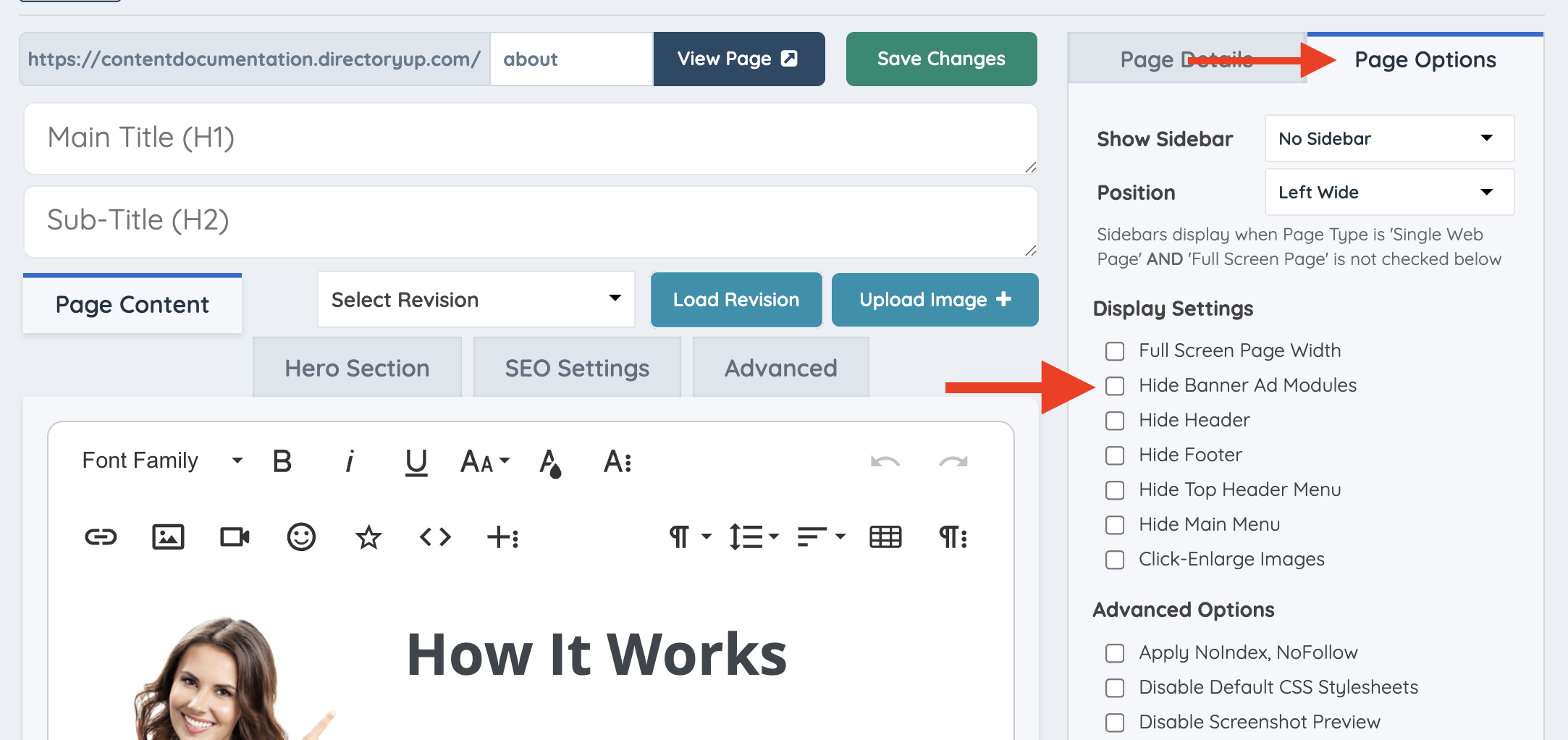
Hiding Banner Ads On a Specific Static Page
Link: https://support.brilliantdirectories.com/support/solutions/articles/12000054624
If ads have been set up on the website but need to be hidden on a specific static page for members, follow the steps below.
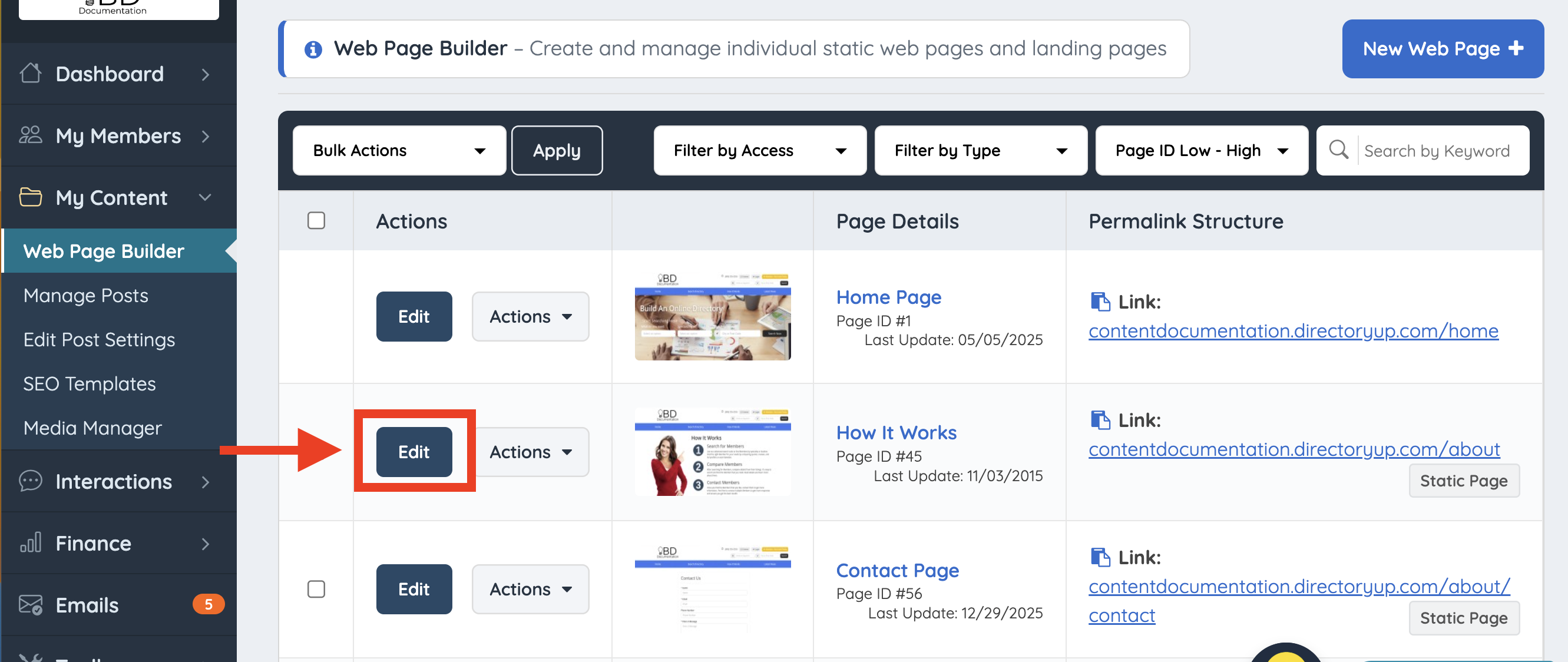
Navigate to My Content > Web Page Builder. Select the page where the ads should be hidden and click "Edit":
Click Page Options and select Hide Banner Ad Modules.