
.WebP Image Uploads
Link: https://support.brilliantdirectories.com/support/solutions/articles/12000071030
The Upload All Images As WebP advanced setting automatically converts supported uploaded images to WebP format. WebP images can help reduce file size and improve website performance across supported areas of the platform.
This setting is intended for website image optimization. Some email-related upload areas preserve the original image format instead of converting images to WebP, because not all email clients display WebP images reliably.
Where To Find This Setting
To locate this setting, go to:
- Settings >> Advanced Settings
- Search for: Upload All Images As WebP
- When enabled, supported image uploads are automatically converted to WebP format.
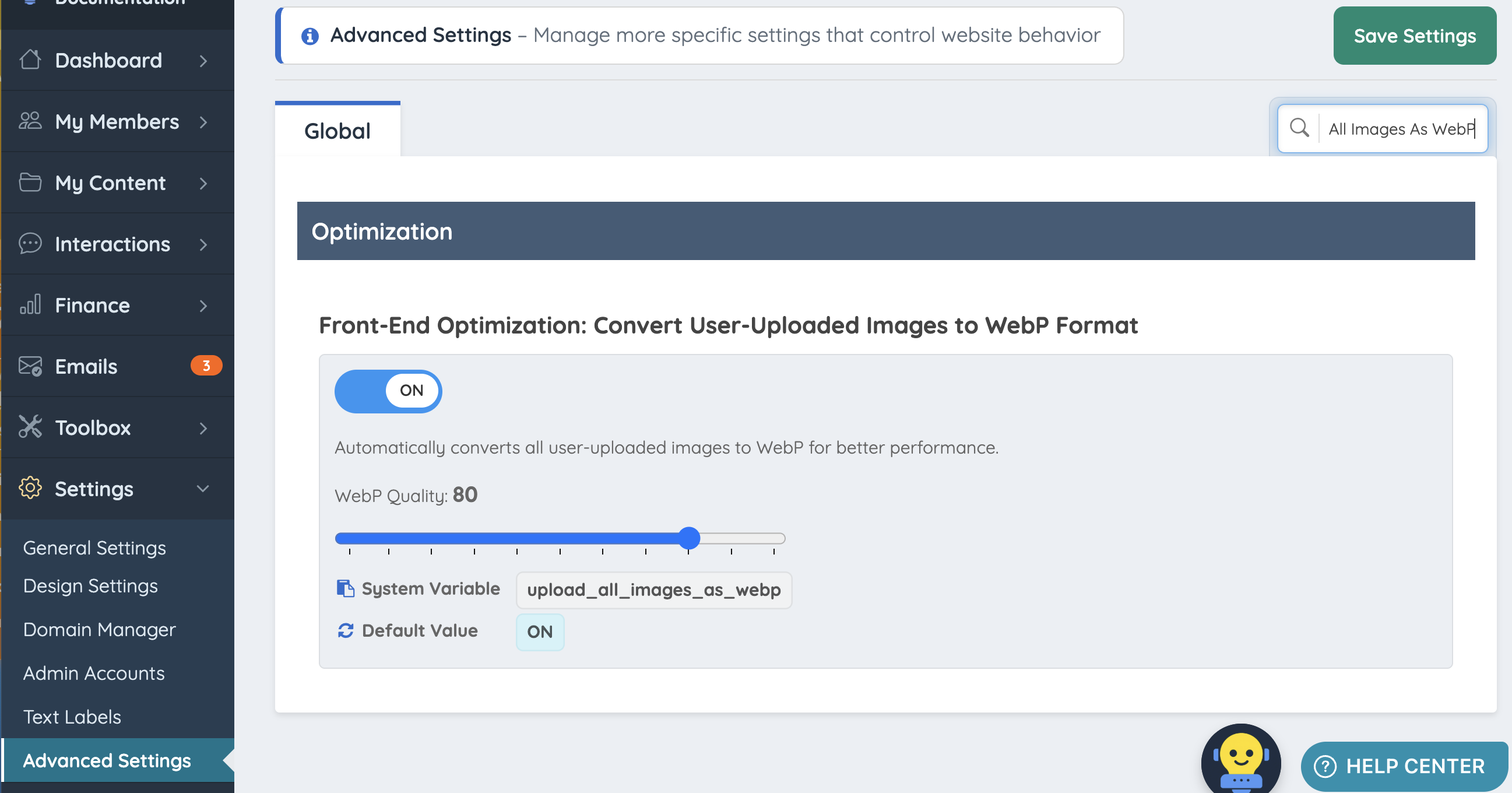
How WebP Image Uploads Work
When the Upload All Images As WebP setting is enabled, supported uploaded images are converted to WebP during the upload process.
This means common image formats, such as JPG and PNG, may be saved as WebP after upload in supported areas of the platform.
This can help improve site performance by reducing image file size while keeping images suitable for website display. WebP images are usually 25–35% smaller than JPEGs and even more compared to PNGs (especially for photos).
Smaller files = faster loading pages and less bandwidth usage.
Email Image Upload Compatibility
Images uploaded directly into Compose Email and the Email Template editor are not converted to WebP even if the advanced setting is enabled.
These email editors preserve the original uploaded file format so images display more reliably across email clients.
This means:
- JPG files remain JPG files
- PNG files remain PNG files
- GIF files remain GIF files
This applies to image uploads inside the affected email editors, including:
- File picker uploads
- Drag-and-drop uploads
- Clipboard paste uploads
Where WebP Conversion Applies
| Upload Area | WebP Conversion Behavior |
|---|---|
| Website page editors | Uses the Upload All Images As WebP setting |
| Member-area editors | Uses the Upload All Images As WebP setting |
| Post body editors | Uses the Upload All Images As WebP setting |
| Compose Email editor | Original image format is preserved |
| Email Template editor | Original image format is preserved |
