How to Allow Custom Search Query Widgets for Post Types
Link: https://support.brilliantdirectories.com/support/solutions/articles/12000071847
Important: Contact support to enable the "Allow Custom Search Query Widgets for Post Types" setting to enable this functionality.
This setting gives the admin the ability to enable custom search query widgets for post types; however, adding custom values can easily disrupt site functionality, so it is generally recommended to keep this option disabled unless the user is comfortable working with advanced code.
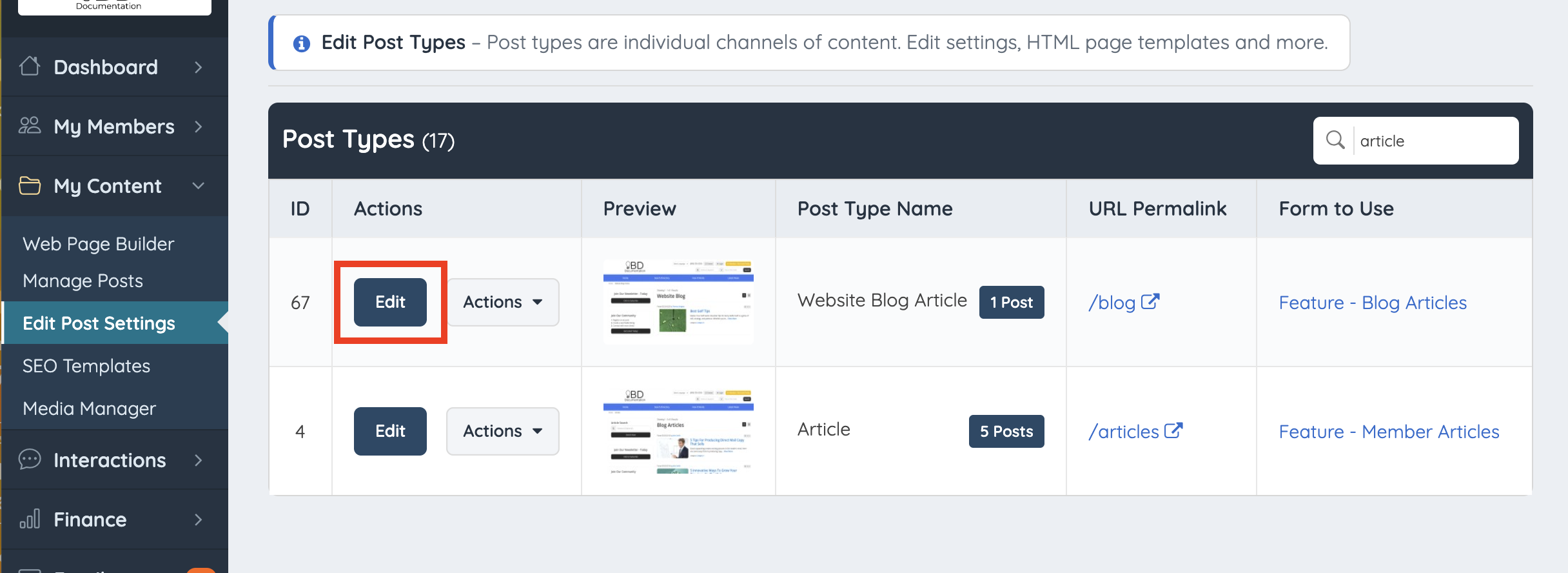
After the setting has been enabled go to Content >> Edit Post Settings >> Select the Post Type you would like to add the custom search widget and click on Edit:
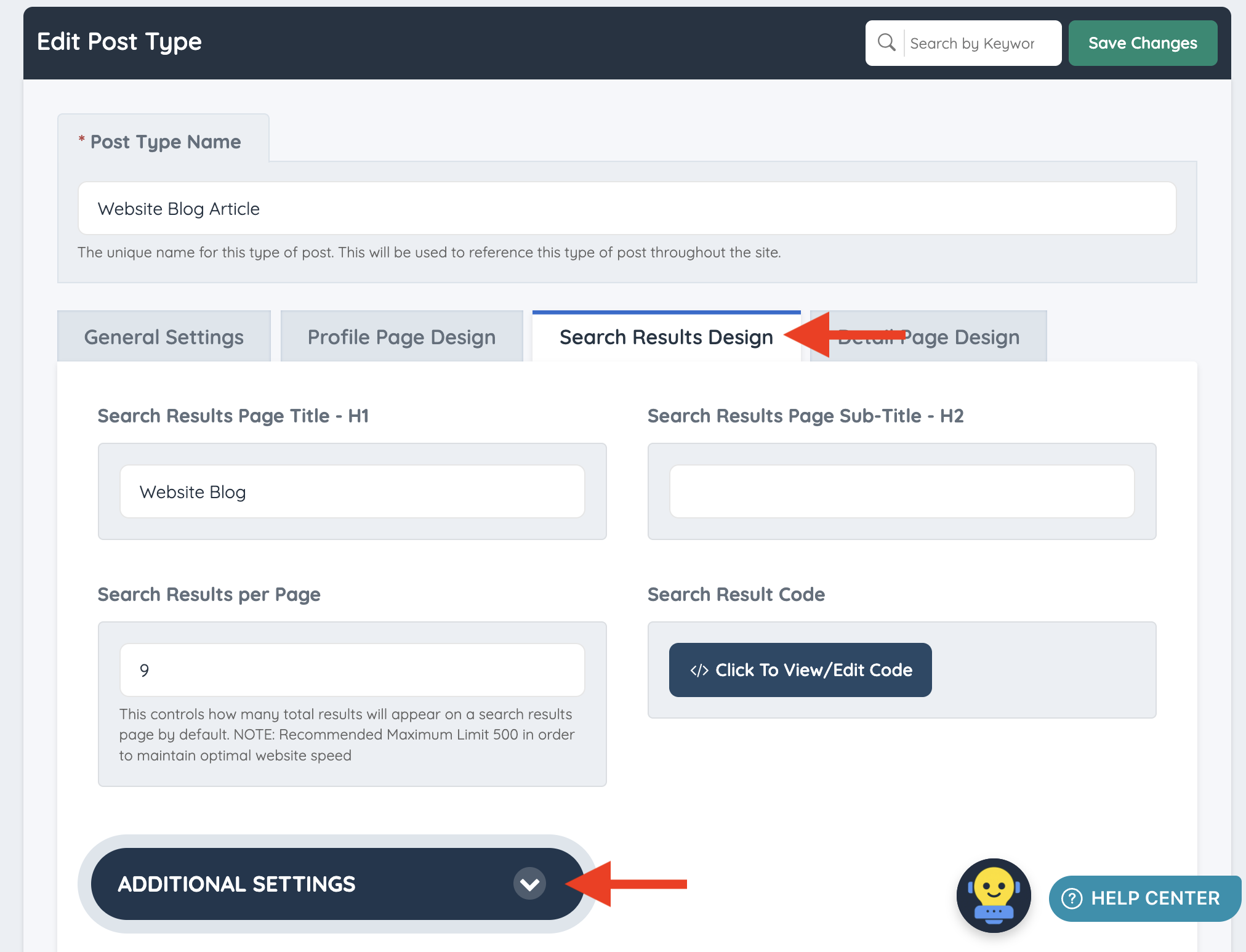
Move to the "Search Results Design" tab and scroll down until the Additional Settings option becomes visible.
Finally, enter the desire custom widget in the corresponding field: