How to Set Up a Wildcard URL Rewrite Web Page
Link: https://support.brilliantdirectories.com/support/solutions/articles/12000078297
A static page can be designated as a Wildcard, so that one page is displayed at many different URLs.
After enabling a wildcard, any additional slug added to that page’s URL displays the wildcard page, without redirecting the visitor.
Note: This capability is provided only upon request. To enable it, please open a support ticket so our team can turn it on for your site.
After Wildcard support has been activated, complete the following steps to set up a Wildcard web page:
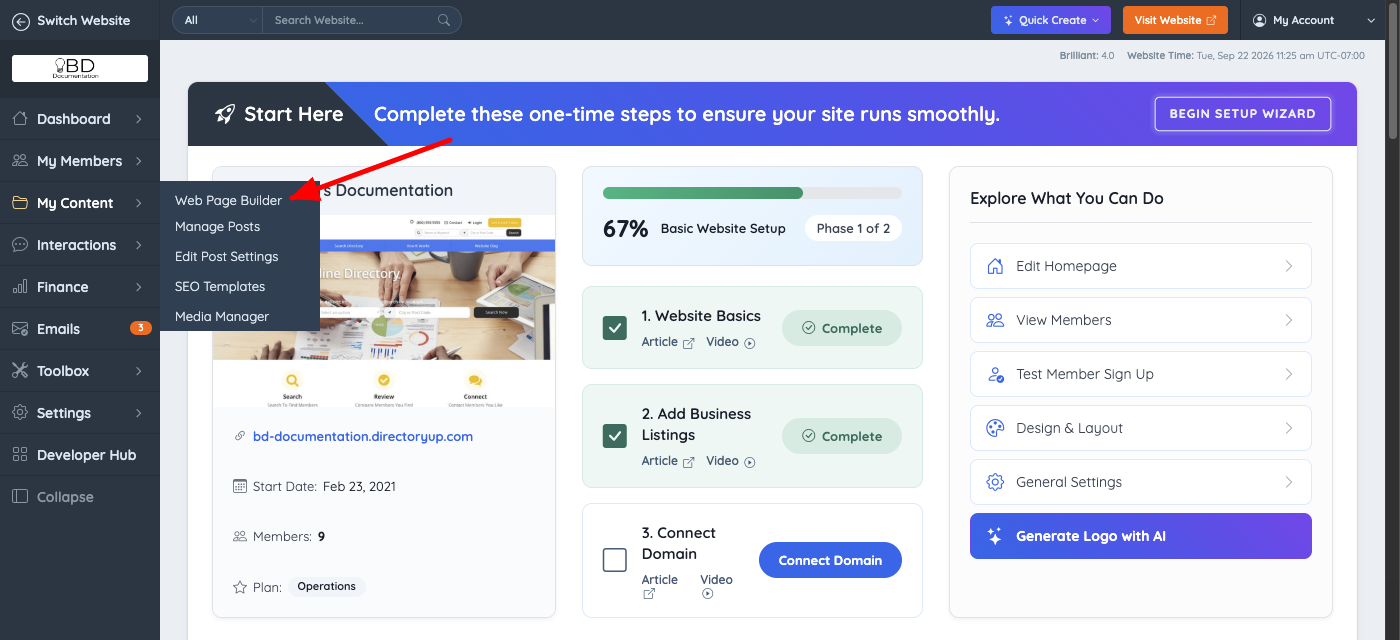
1. Navigate to My Content >> Web Page Builder:
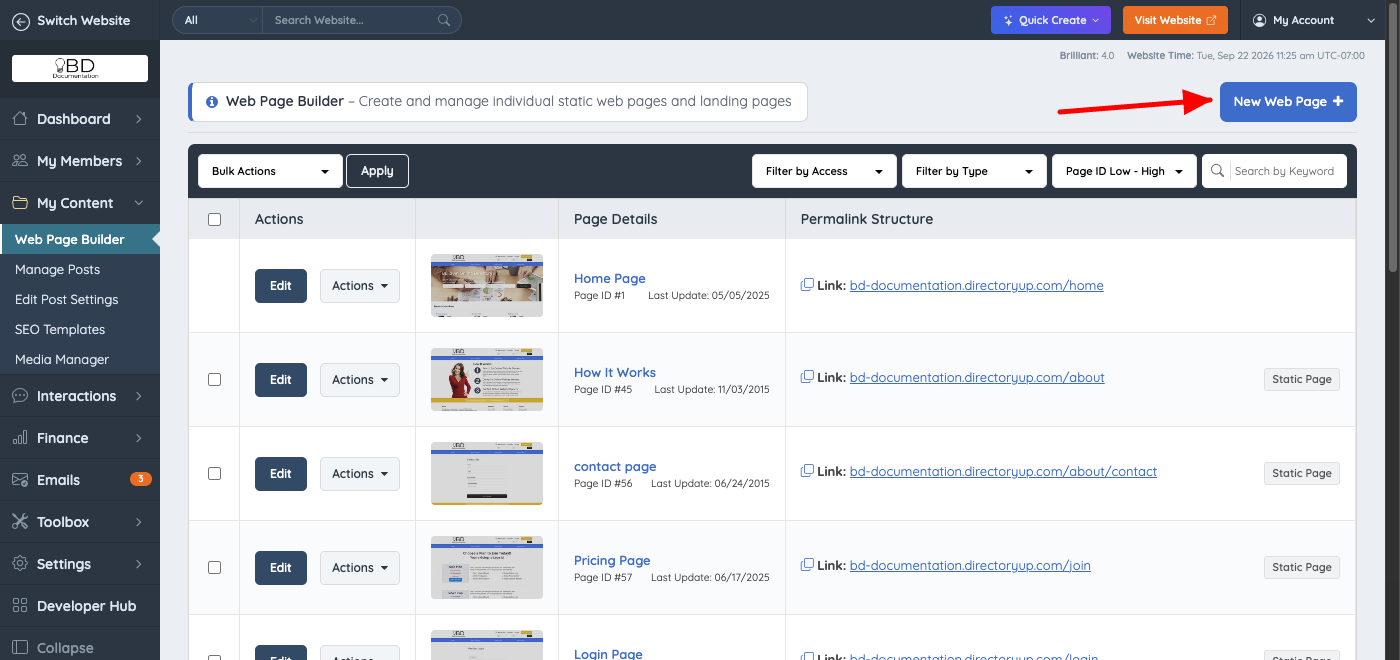
2. Click on the "New Web Page +" button:
3. Enter the page URL and content:
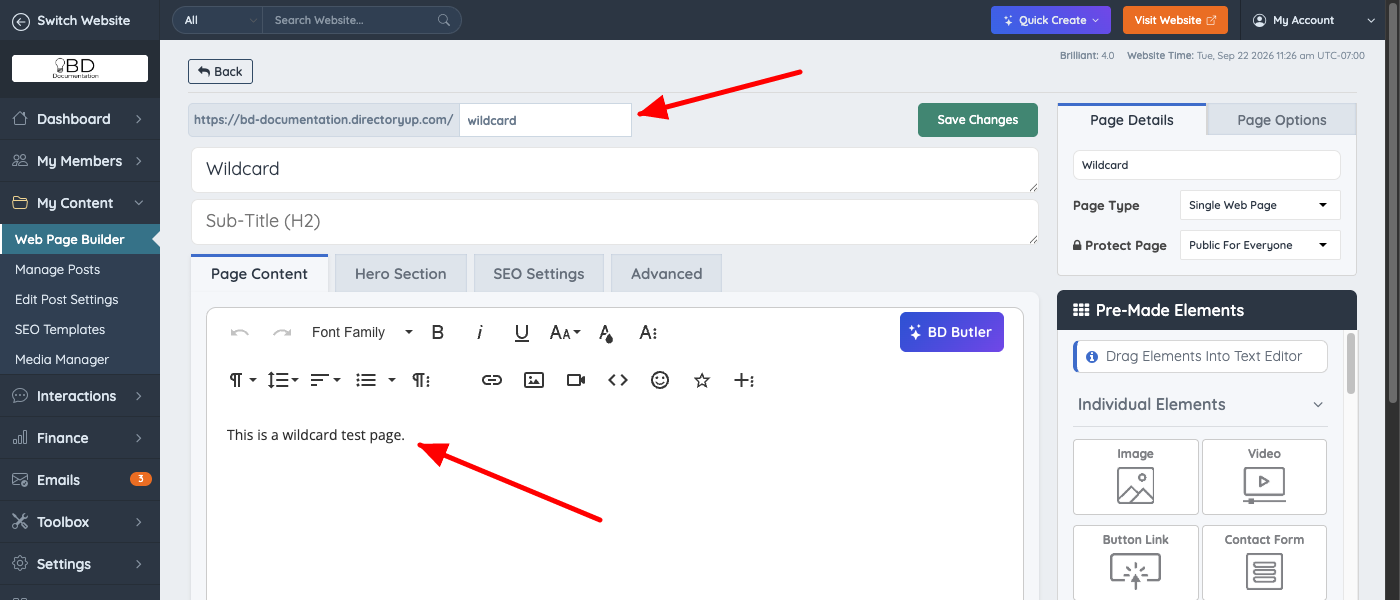
4. Move to the Page Options tab, scroll down to Advanced Options and check the Wildcard URL Rewrite option:
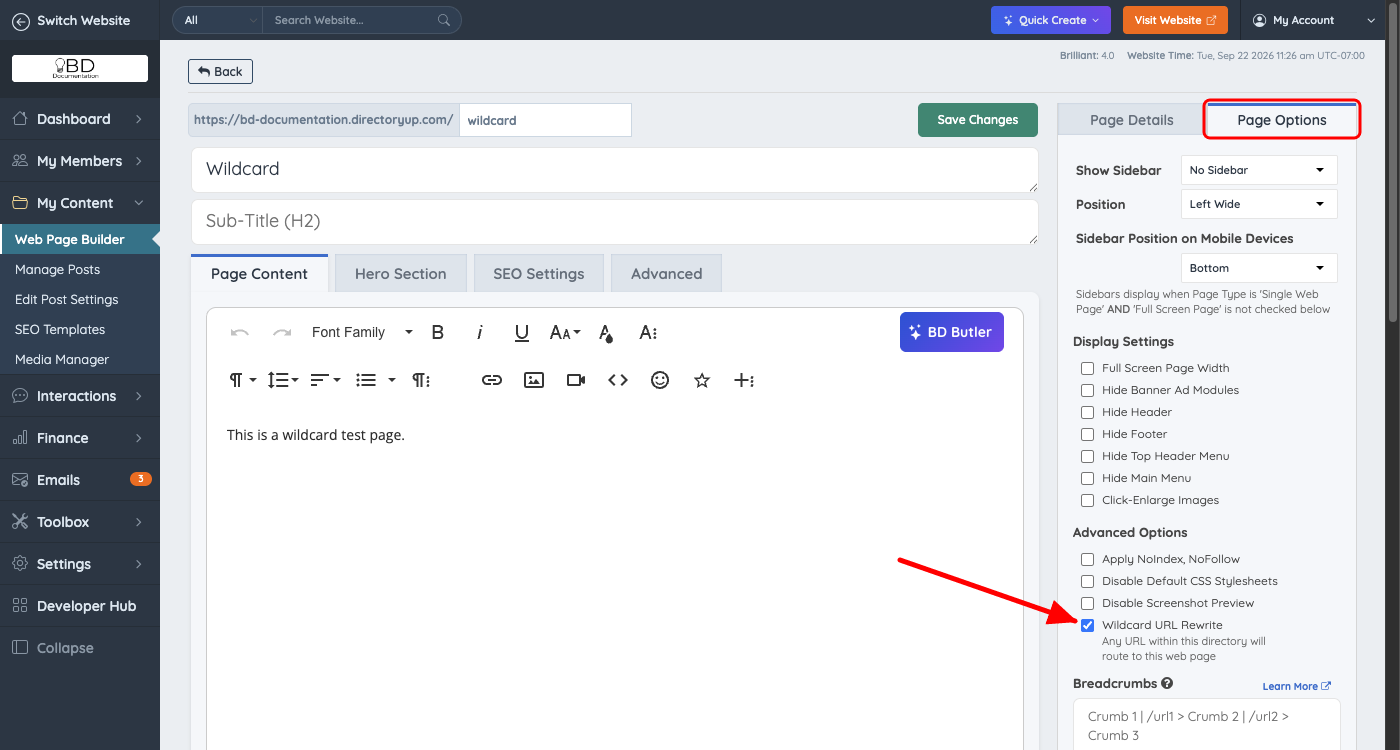
5. Save the changes.
In this example, the wildcard page is https://bd-documentation.directoryup.com/wildcard
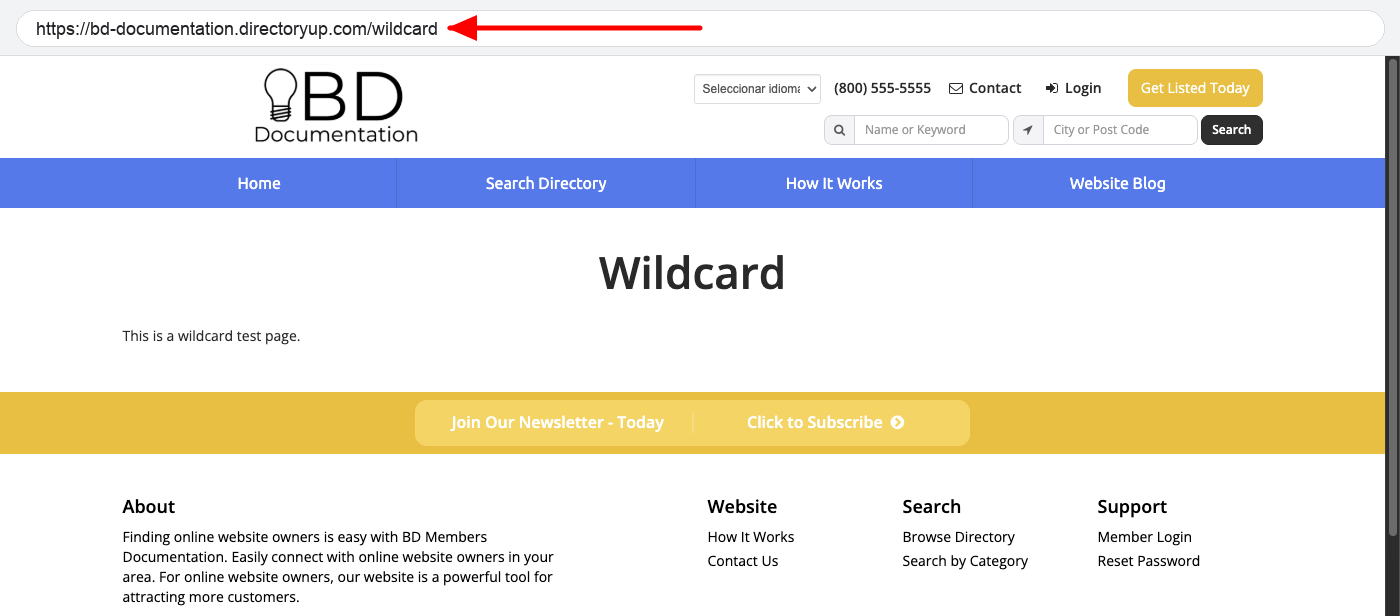
If a visitor goes to https://bd-documentation.directoryup.com/wildcard/test
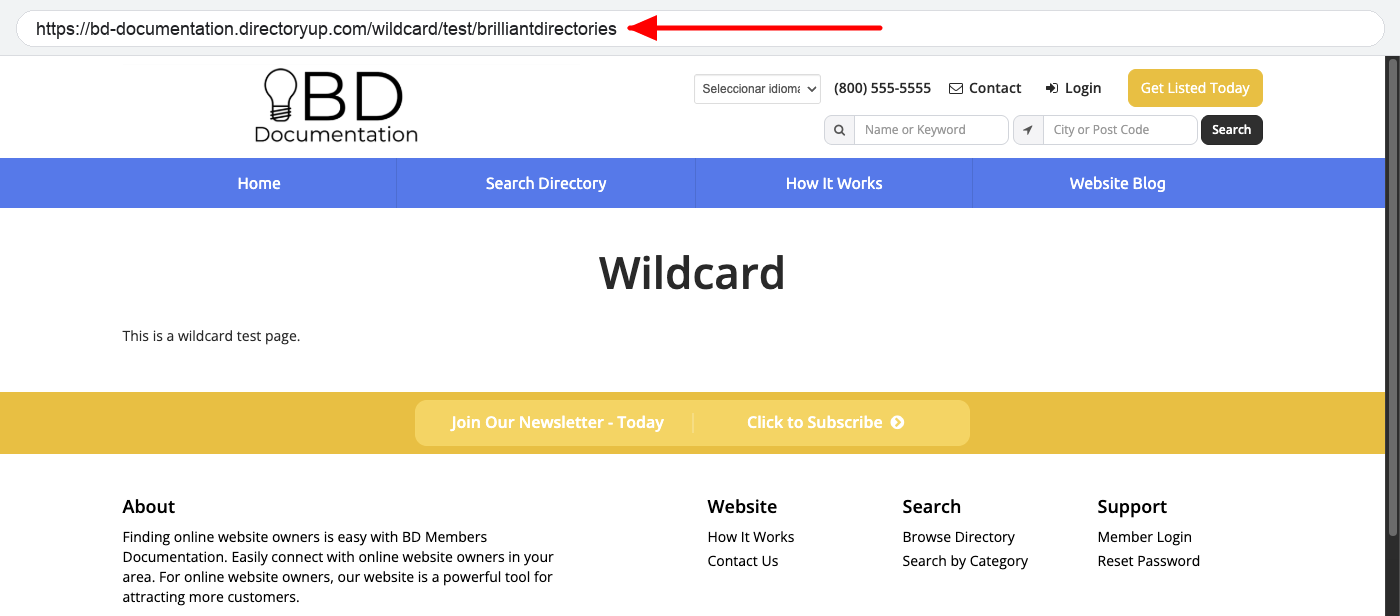
or any other URL such as https://bd-documentation.directoryup.com/wildcard/test/brilliantdirectories, the visitor sees the content of the original page, https://bd-documentation.directoryup.com/wildcard.
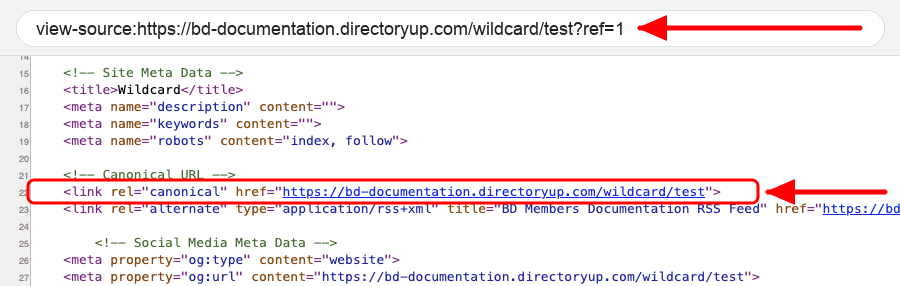
The address in the browser stays the URL the visitor requested. Each of these URLs is treated as its own page by search engines: the page's canonical URL (the address the page tells search engines is its main address) is the URL that was requested, without any query string. For example, /wildcard/test?ref=1 reports /wildcard/test as its canonical URL, and it can be indexed separately from /wildcard. Canonical URLs are always lowercase.