How to Preselect a Top Level Category - Homepage Search Box
Link: https://support.brilliantdirectories.com/support/solutions/articles/12000089580
When using a homepage search module that allows visitors to select a Top-Level Category, the category field is empty by default and displays the placeholder text "Select an option."
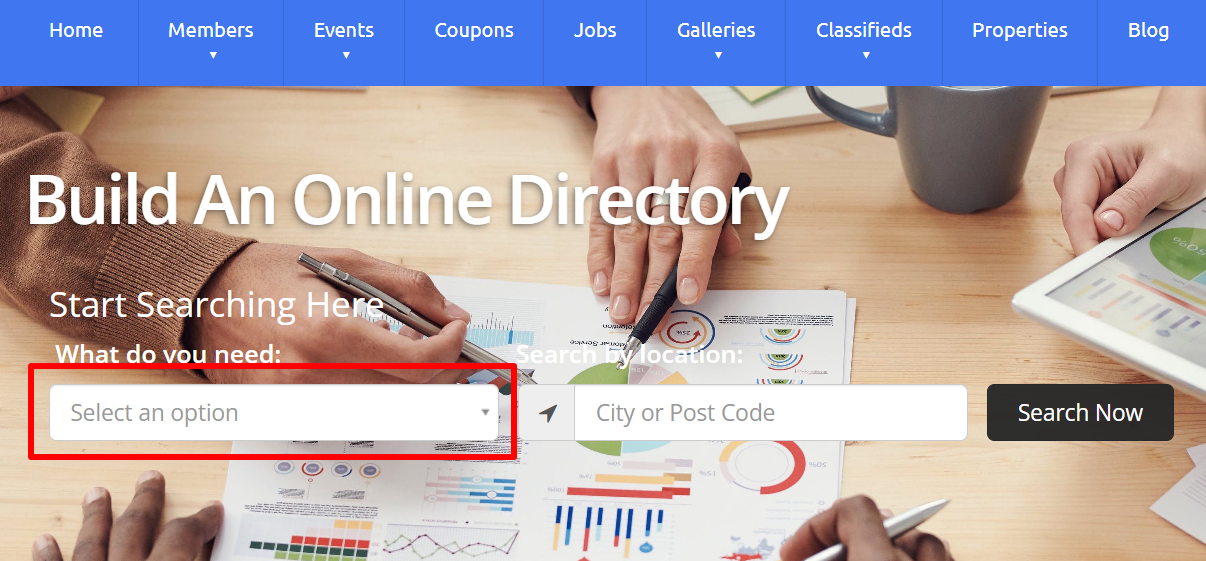
Depending on the website, automatically selecting a default Top-Level Category can improve the user experience by highlighting the most commonly used category.
This can be accomplished with the following JavaScript.
Step 1: Add the JavaScript
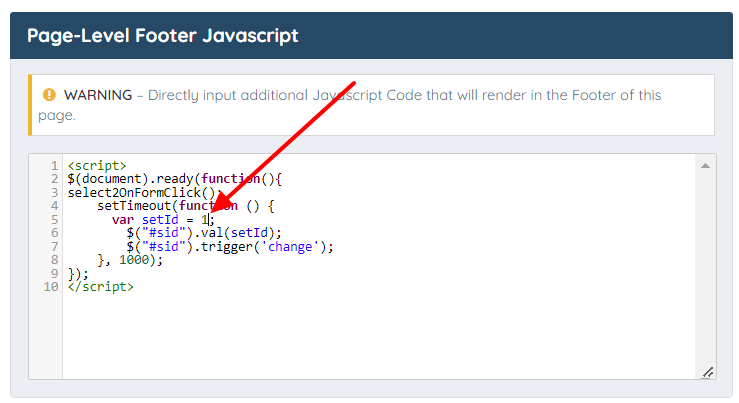
Add the following code:
$(document).ready(function () {
    select2OnFormClick();

    setTimeout(function () {
        var setId = 2;

        $("#sid").val(setId);
        $("#sid").trigger("change");
    }, 1000);
});
Replace the value 2 with the ID of the Top-Level Category that should be selected by default.
Step 2: Add the Code to the Homepage
Paste the JavaScript into the Footer JavaScript field for the Homepage.
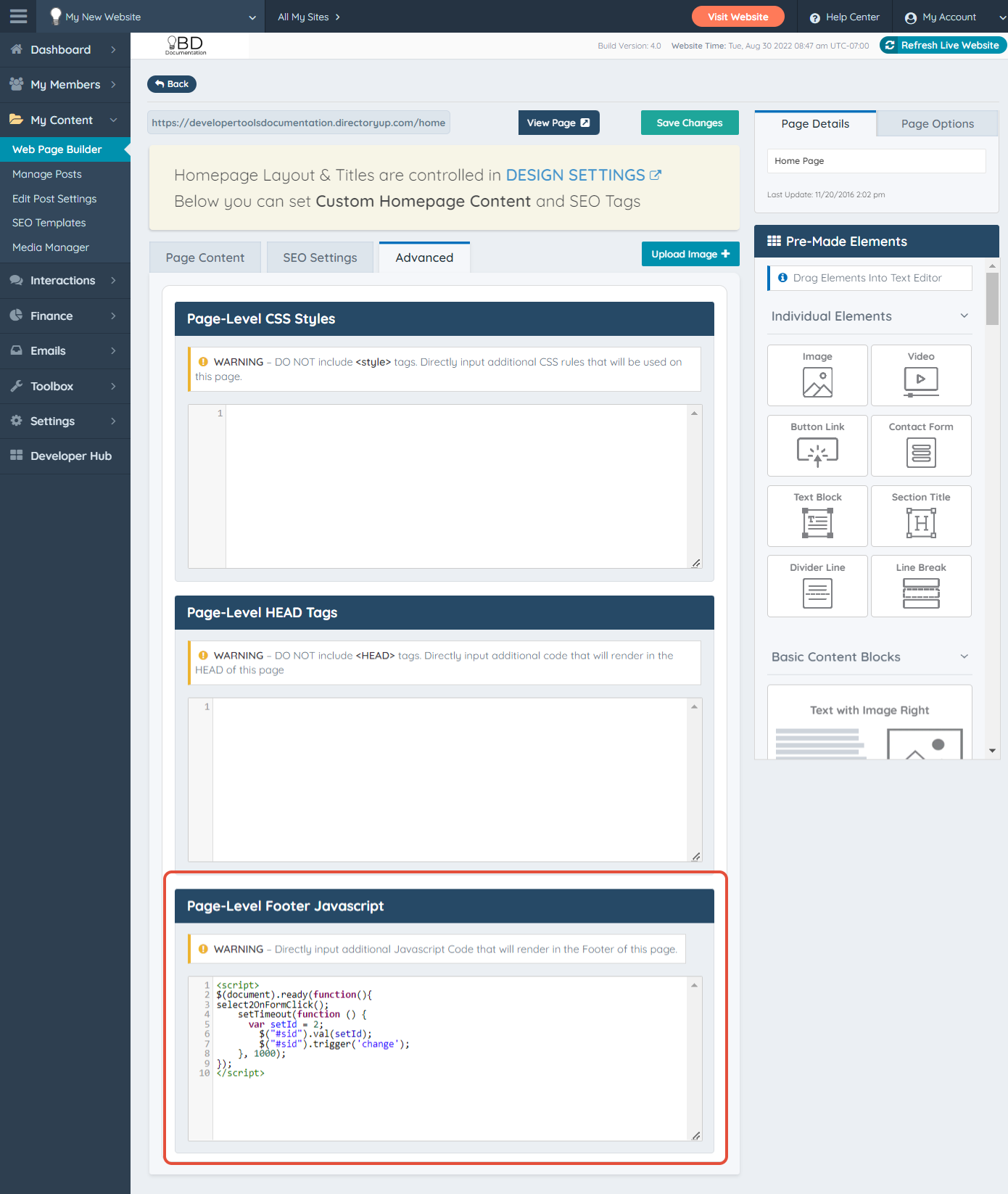
Step 3: Specify the Category ID
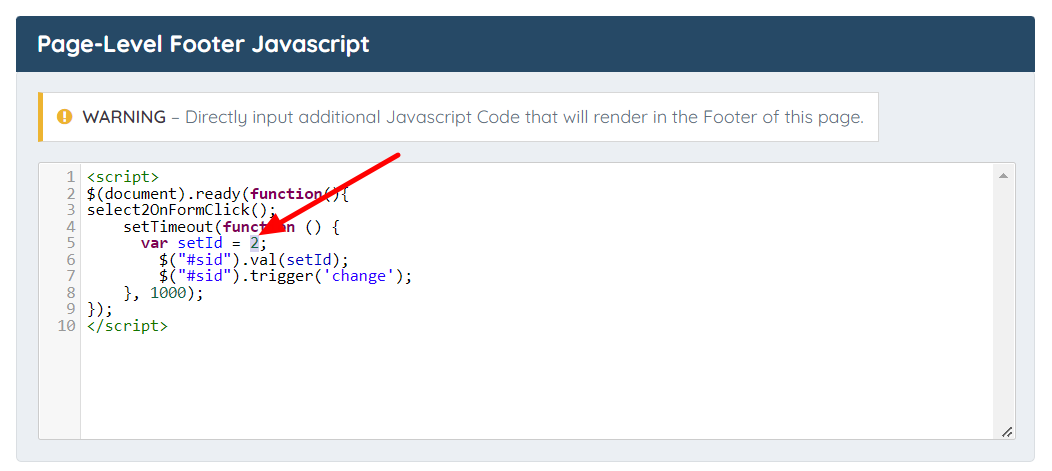
Update the following line in the code:
var setId = 2;
Replace 2 with the ID of the desired Top-Level Category.
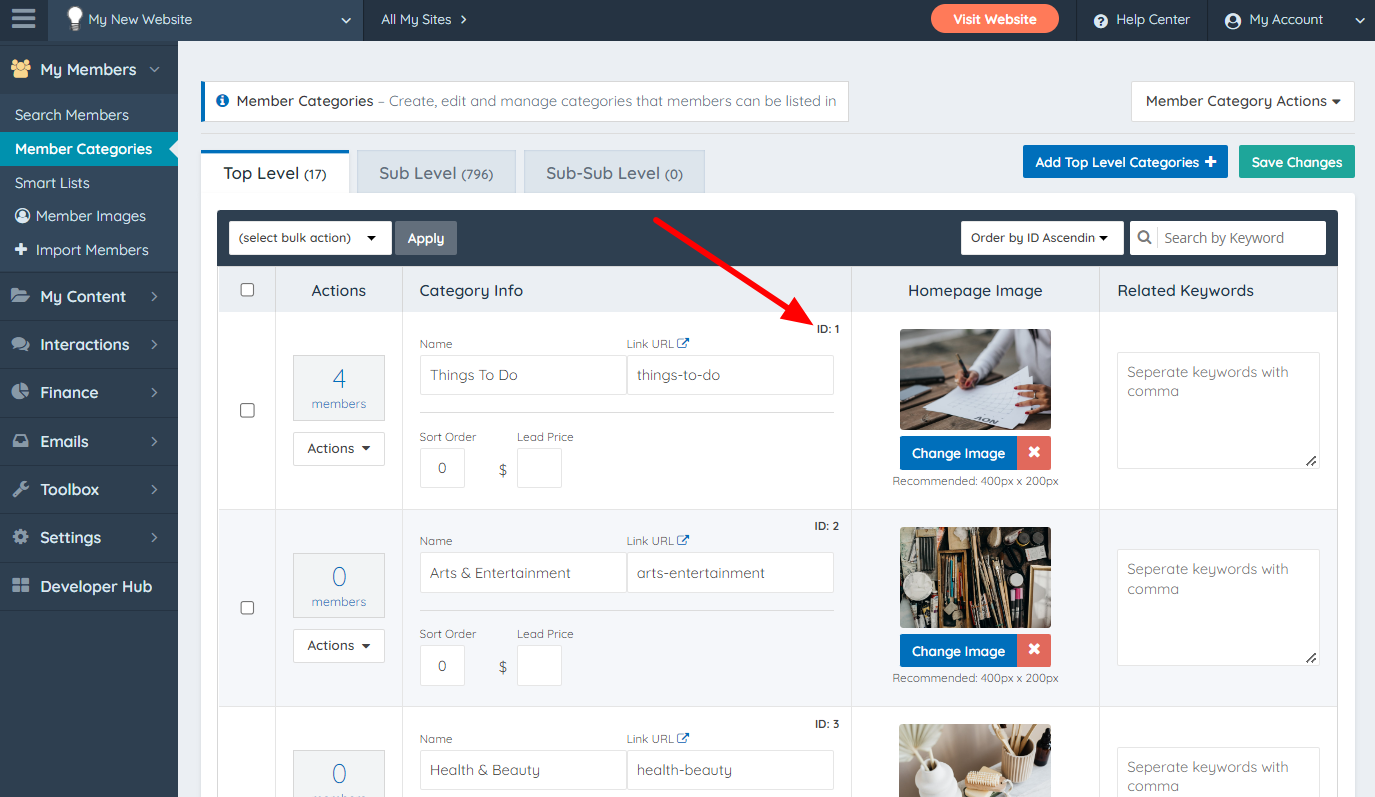
The Category ID can be found on the Member Categories page.
Step 4: Save the Changes
Save the Homepage settings.
Save the change:
The homepage search box will now automatically preselect the specified Top-Level Category.