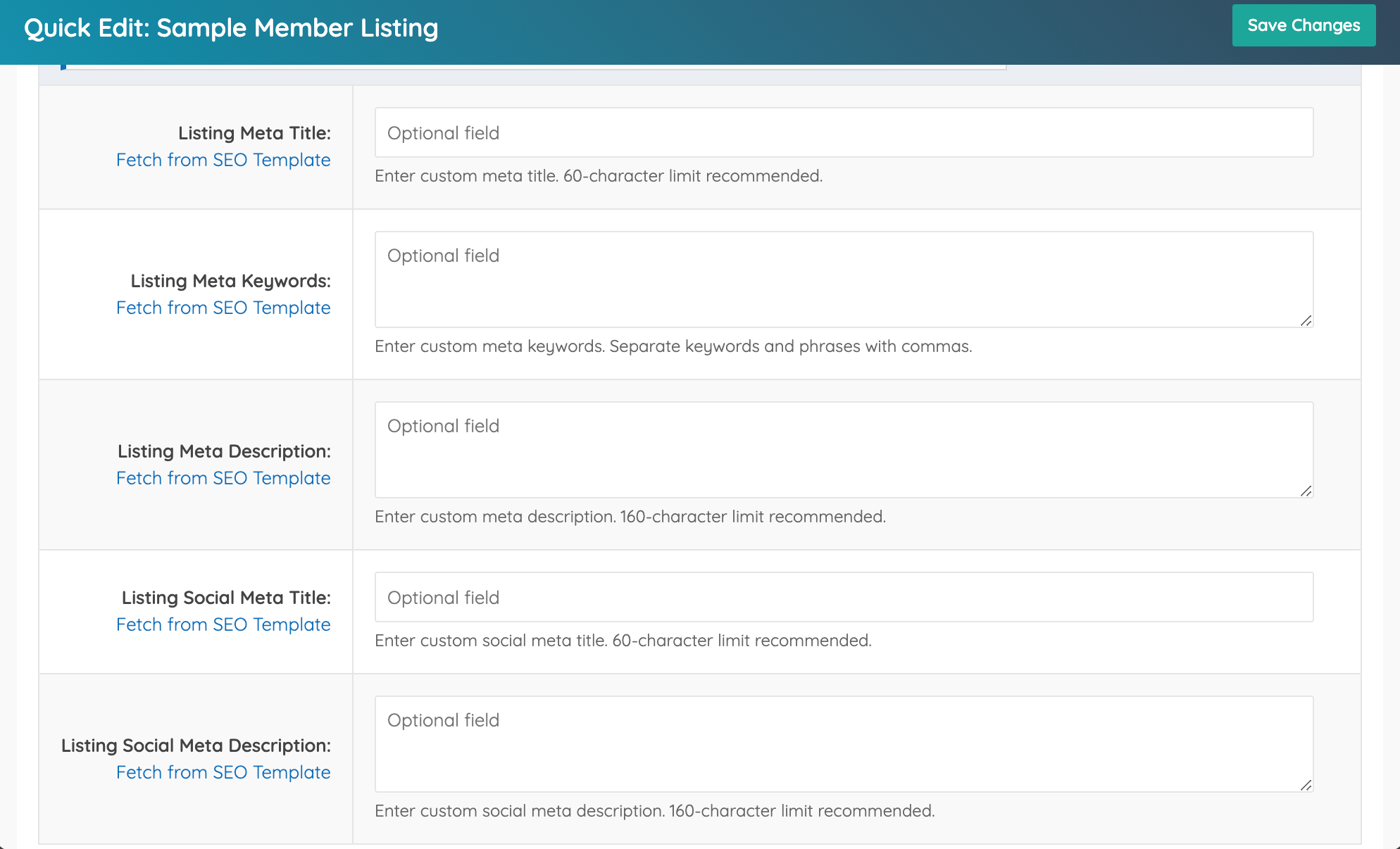
How To Edit The SEO Elements Of An Individual Member Profile Page
Link: https://support.brilliantdirectories.com/support/solutions/articles/5000682652
Steps
- Log in to the Admin Area.
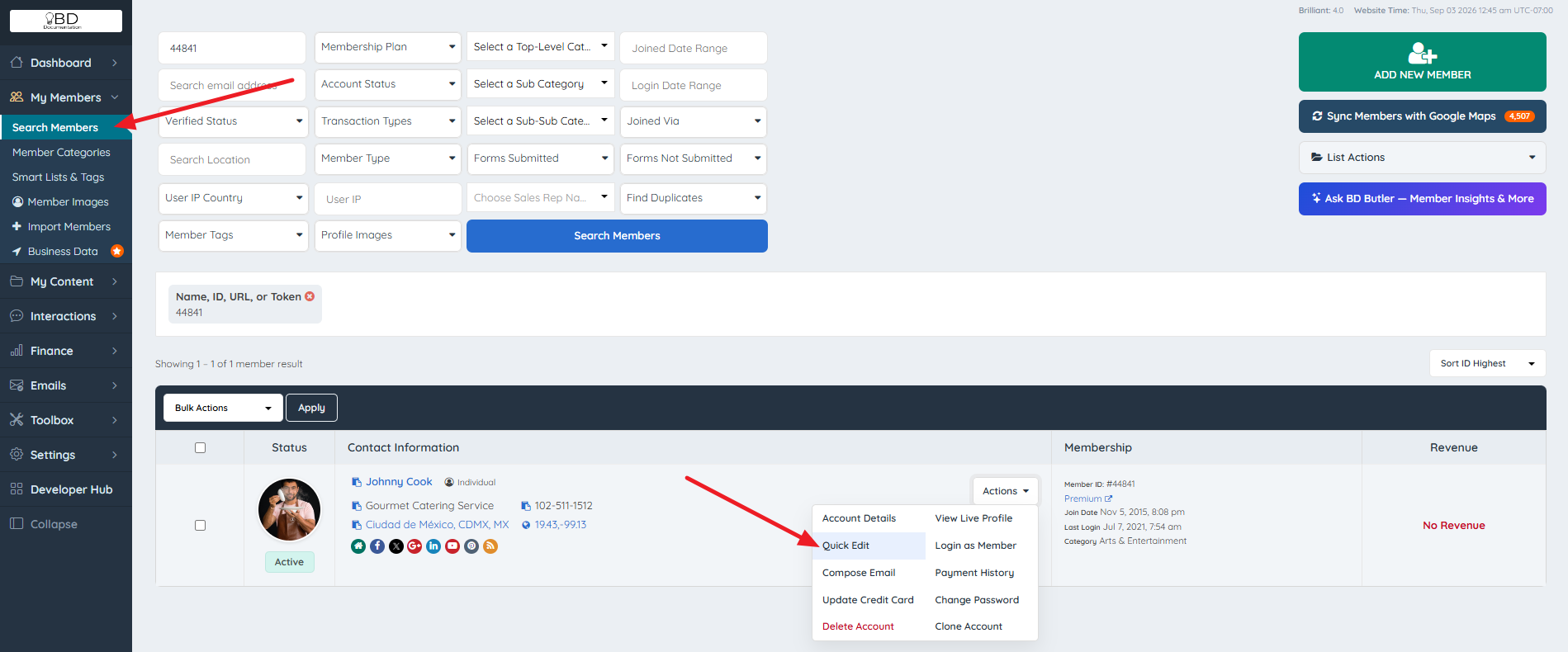
- Navigate to My Members > Search Members.
- Locate the member profile to update.
- Hover over the Actions menu for that member, then click Quick Edit.
- Click the Advanced Options tab.

- Scroll down until the SEO options become visible.