What Happens If A Lead Is Not Accepted?
Link: https://support.brilliantdirectories.com/support/solutions/articles/12000007989
Brilliant Directories provides tools to help directory owners track leads that have not been accepted by members.
Monitoring unaccepted leads helps ensure that website visitors receive responses to their inquiries and allows administrators to take appropriate follow-up actions when needed.
When a lead is not accepted by a member, consider following up with the website visitor to ensure their inquiry is addressed.
Possible next steps include:
• Offering to match the visitor with other qualified businesses or professionals.
• Reviewing whether additional members should receive the lead.
• Ensuring the visitor has alternative options available through the directory.
Following up with the member who declined the lead can provide valuable insight into why the lead was not accepted.
Common reasons may include:
• The member is not accepting new clients.
• The lead falls outside the member's service area.
• The lead does not match the member's services.
• The member is temporarily unavailable.
Understanding these reasons can help improve future lead distribution and member engagement.
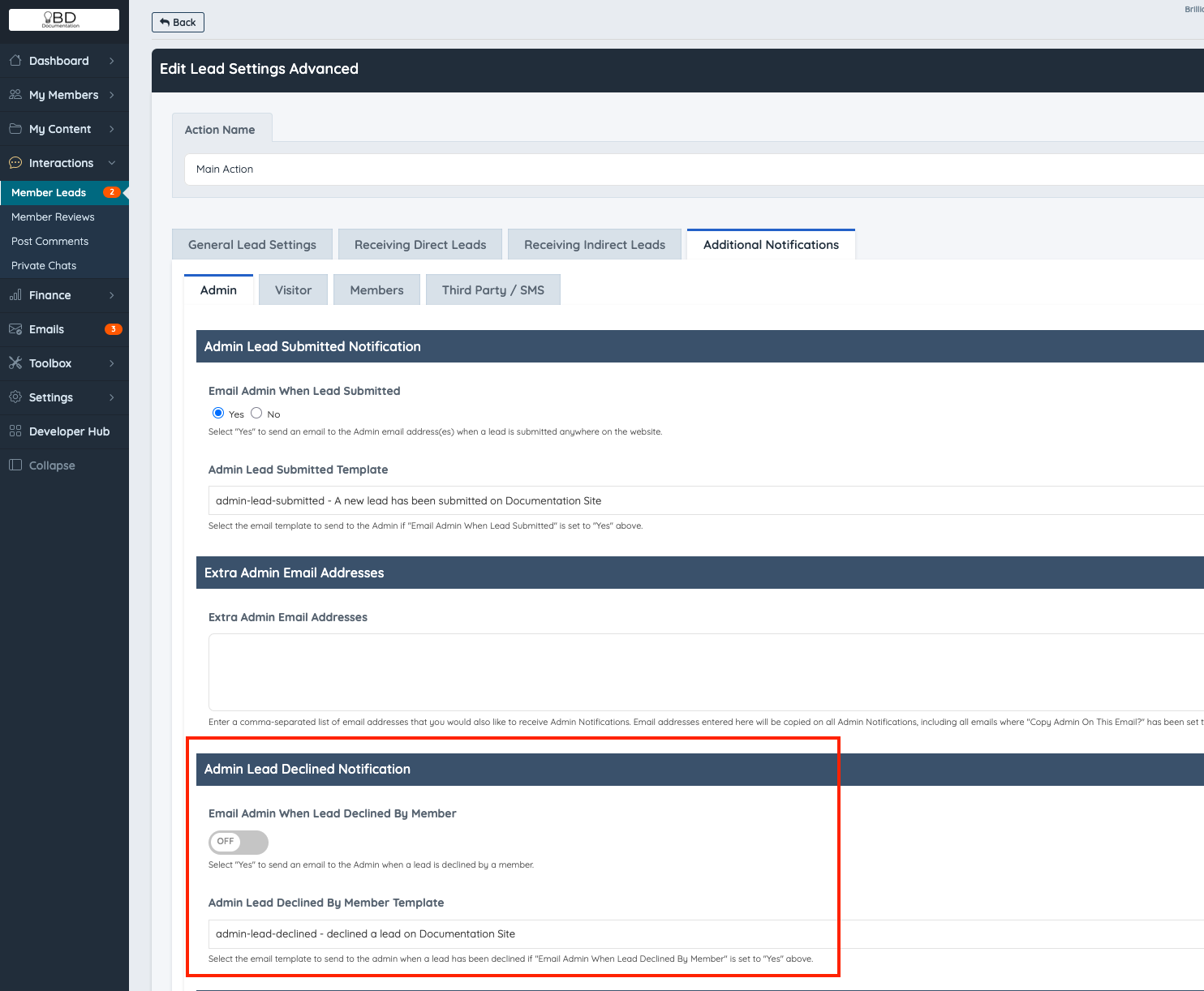
To receive notifications when a member declines a lead, enable the Lead Declined Notification setting.
Navigation:
Leads » Lead Settings » Auto-Match Workflows » Additional Notifications Settings