
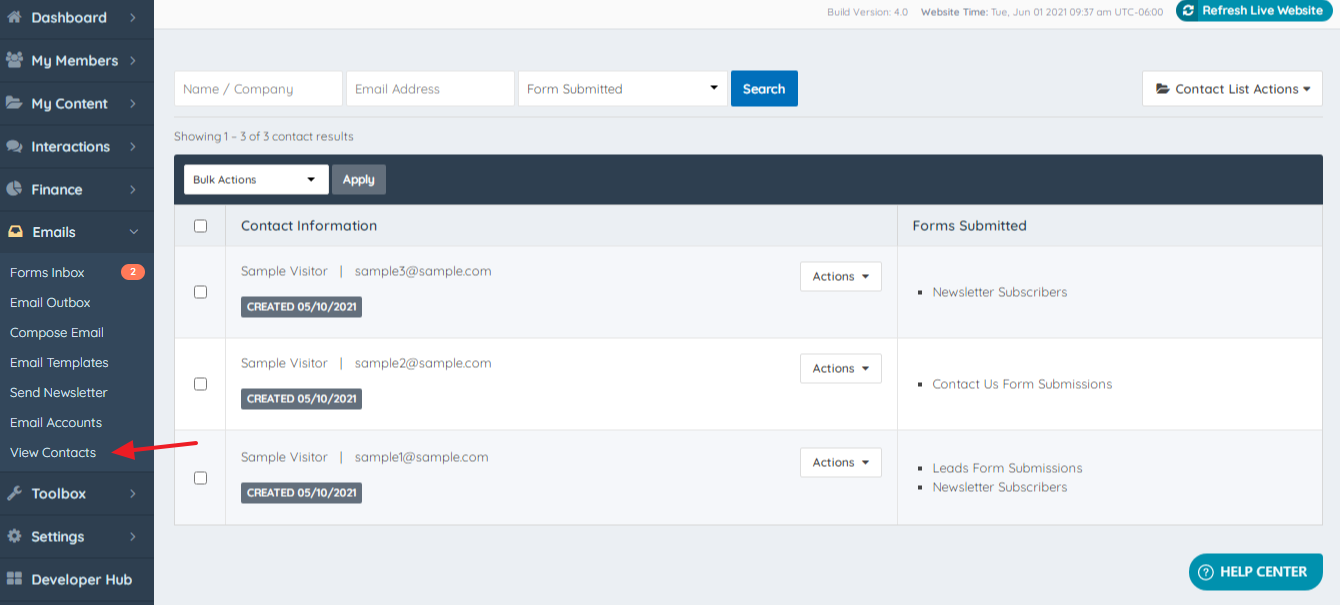
Emails » View Contacts
Link: https://support.brilliantdirectories.com/support/solutions/articles/12000048447
In this section the contacts that have been added to the site through various forms are stored:
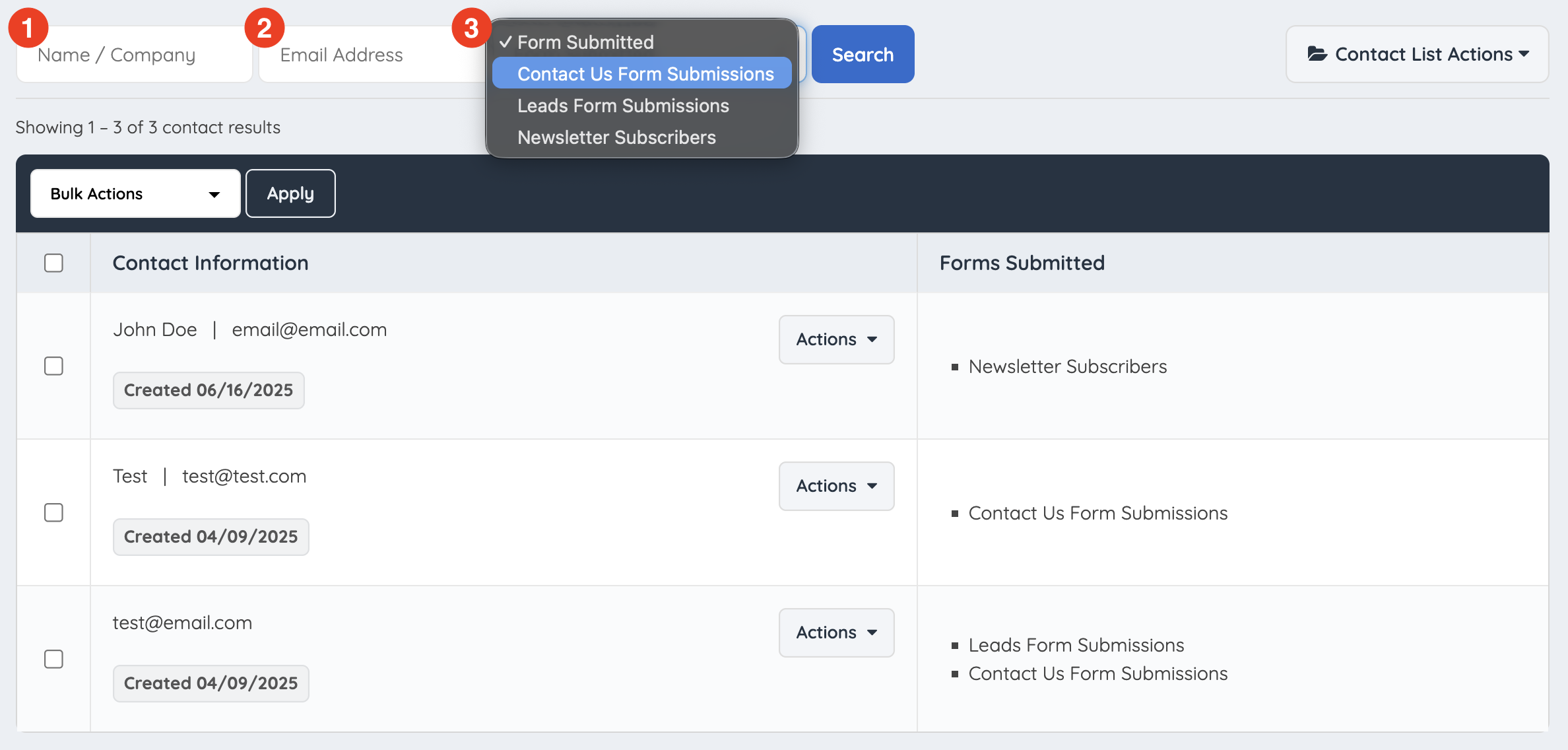
Search and filter through these contacts by:
1. Name
2. Email Address
3. Form Submitted
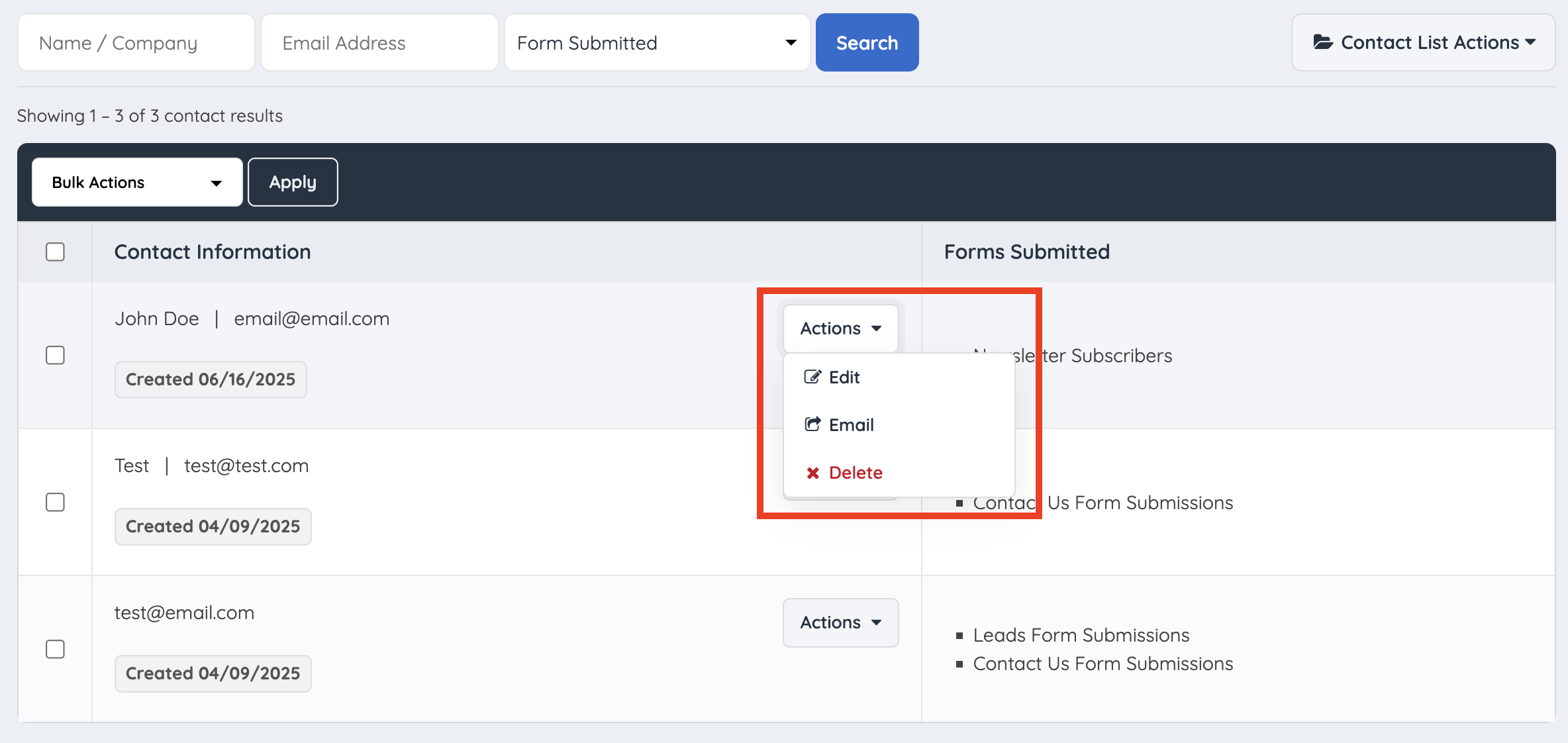
Within "Actions" there is a set of actions:
1. Edit
2. Email
3. Delete
When editing there are 6 different sections to add or edit various information:
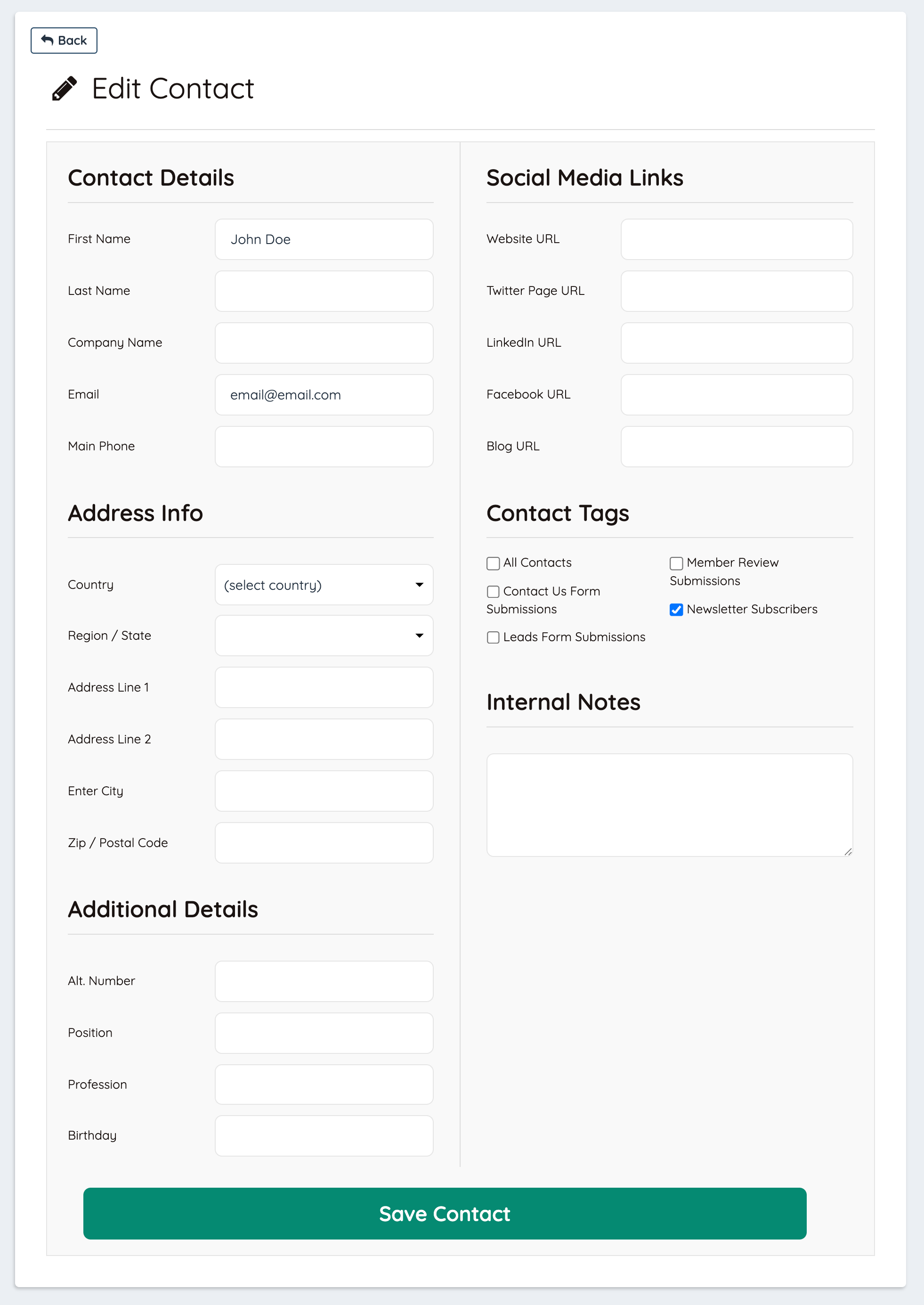
Click on Save Changes, to have all of the contact information saved properly in the system.
Export Contacts
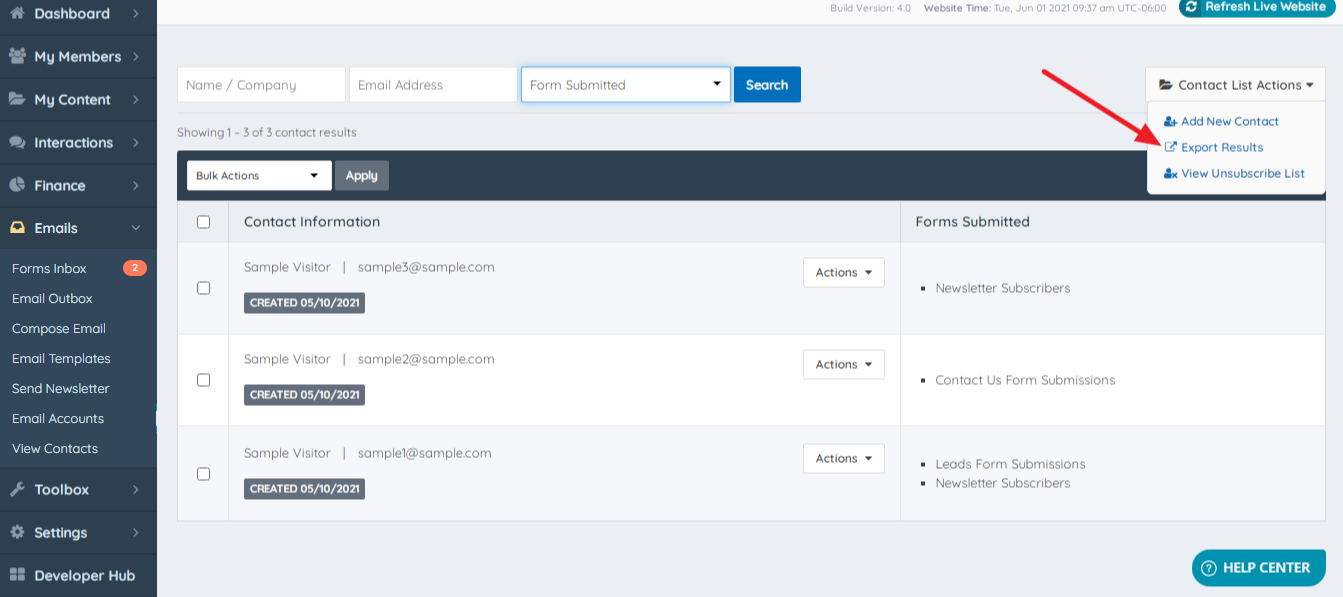
The Contacts can be exported by hovering over the Contact List Actions - Export Results:
Important note: this functionality is part of the Export Member Data addon: Export Member Data
