Cancellations from Owner's perspective
Link: https://support.brilliantdirectories.com/support/solutions/articles/12000078317
To learn more about the cancellation process from a member's perspective, please read: Cancellations from a Member's Perspective.
When a member cancels an account, the site admin receives a copy of the cancellation email sent to that member:

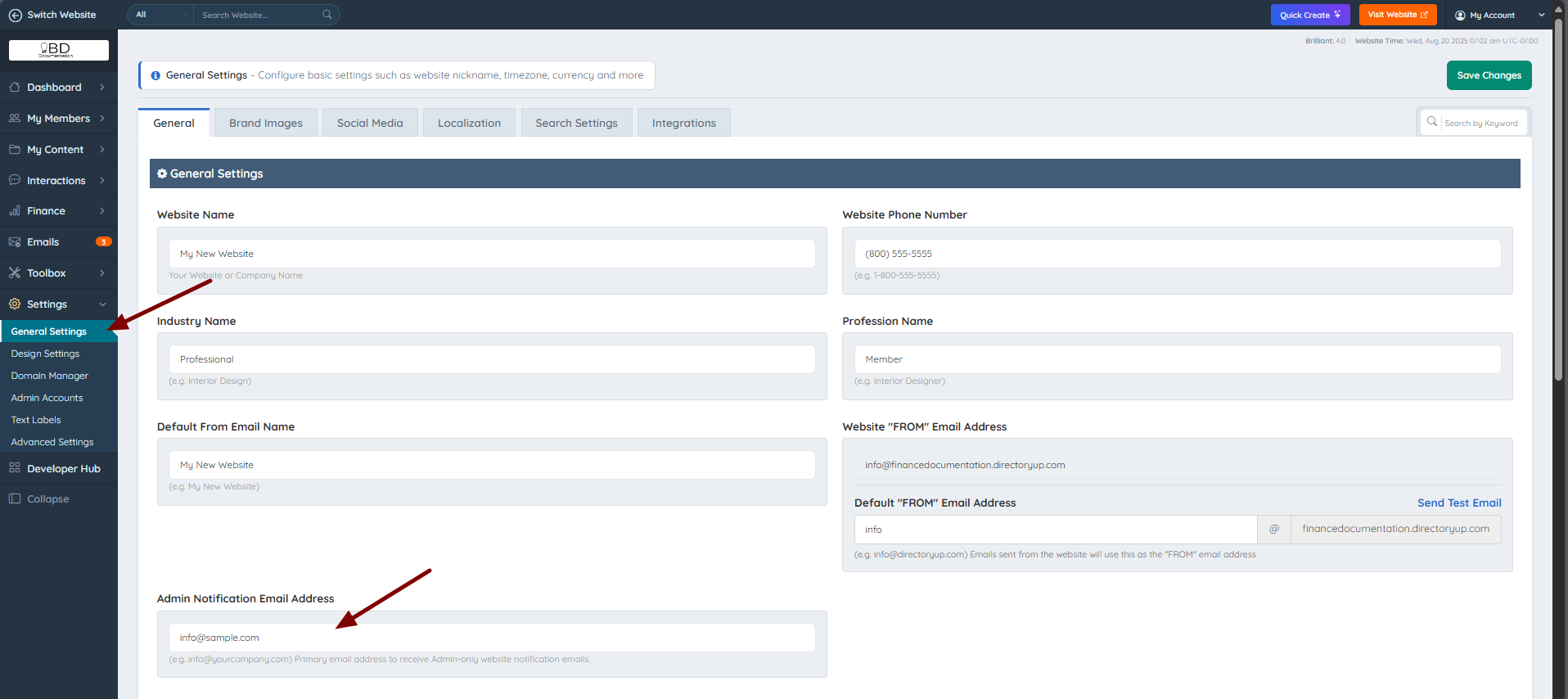
This email is automatically sent to the Default Website Email configured under Settings » General Settings:
Important Notes:
When a member cancels an account, the system automatically terminates all active subscriptions to prevent future charges.
When the member status is "CANCELLED", the profile will not appear in search results as well as their streaming content such as videos, articles, photos, etc.
“It is recommended to leave the member's status as ‘DELETED’ rather than removing the account completely from the site, just in case the member wants to come back later or the admin wants to contact them in the future.
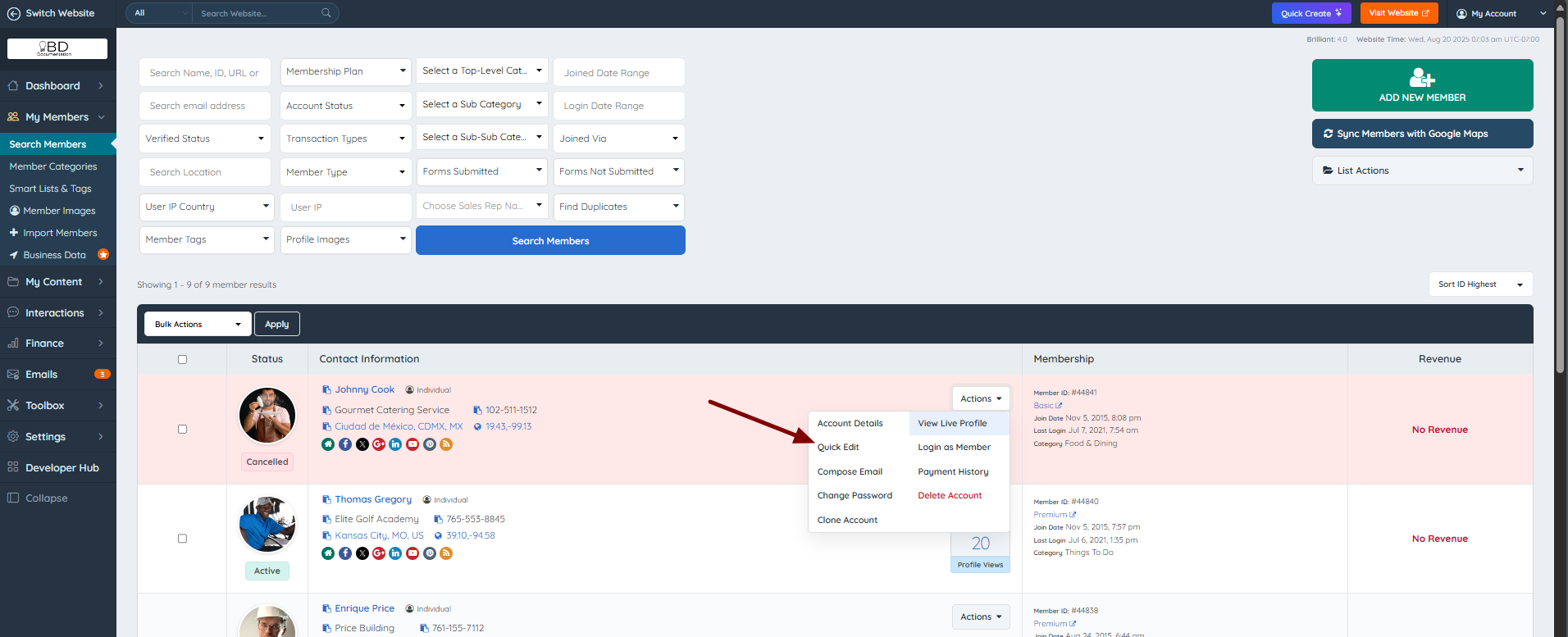
If the member returns, the admin can change the status to "Active" again. To do this, click Actions » Quick Edit:
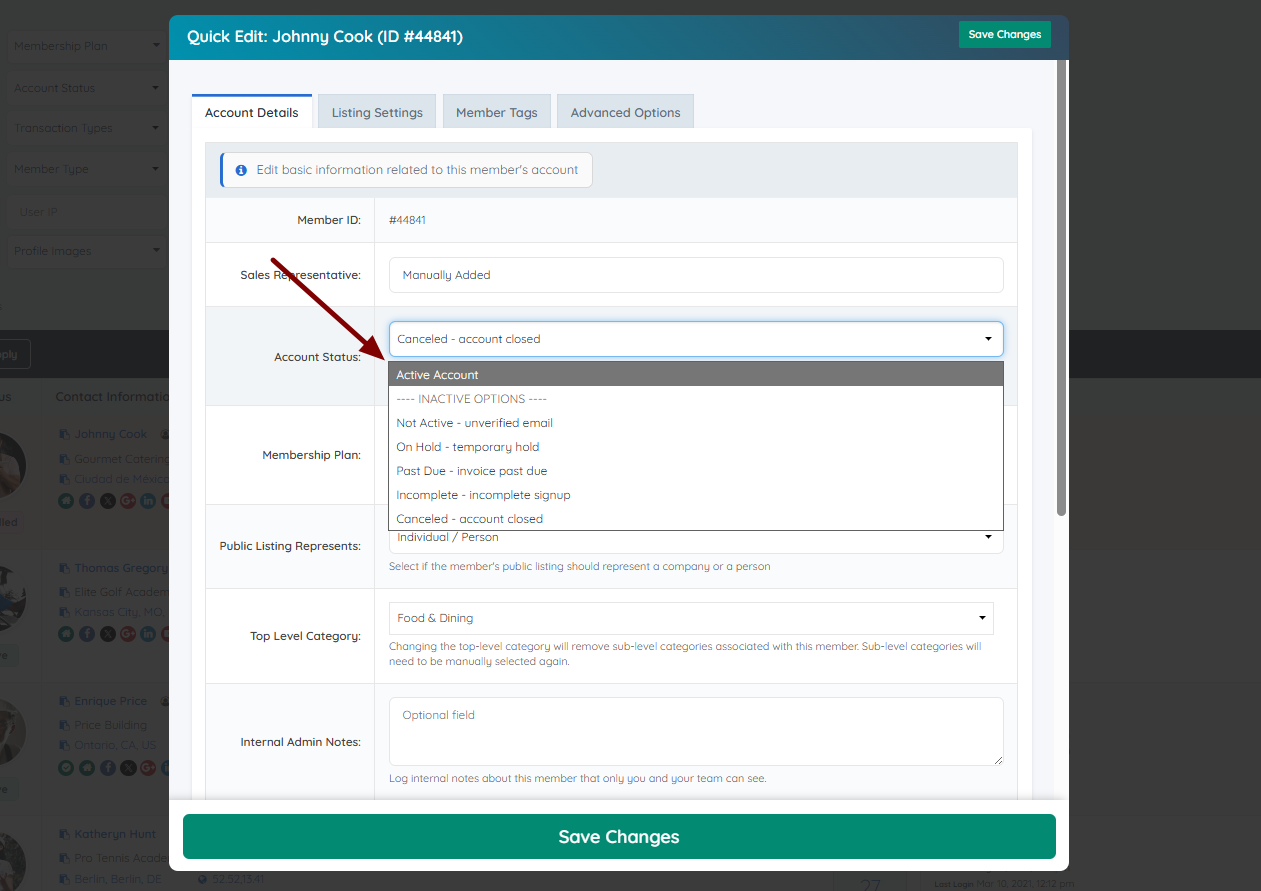
Then select ‘Active Account’ from the Account Status field:
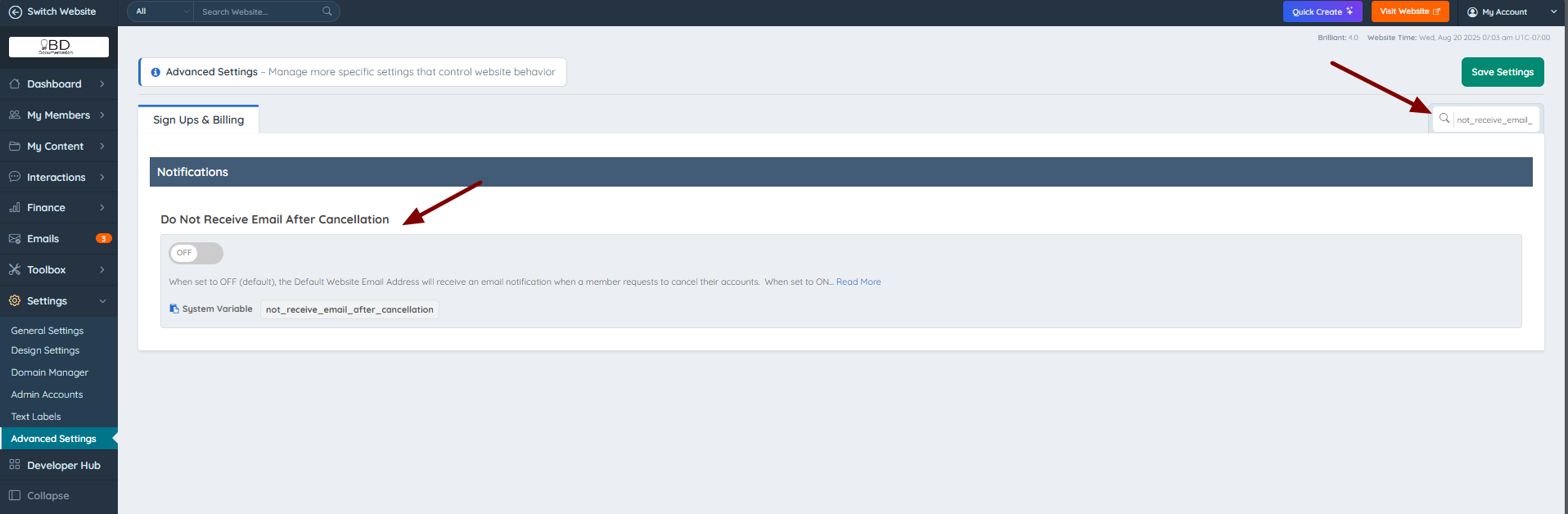
If the admin does not wish to receive an email notificationafter a member cancellation, enable the following advanced setting: not_receive_email_after_cancellation